The Problem
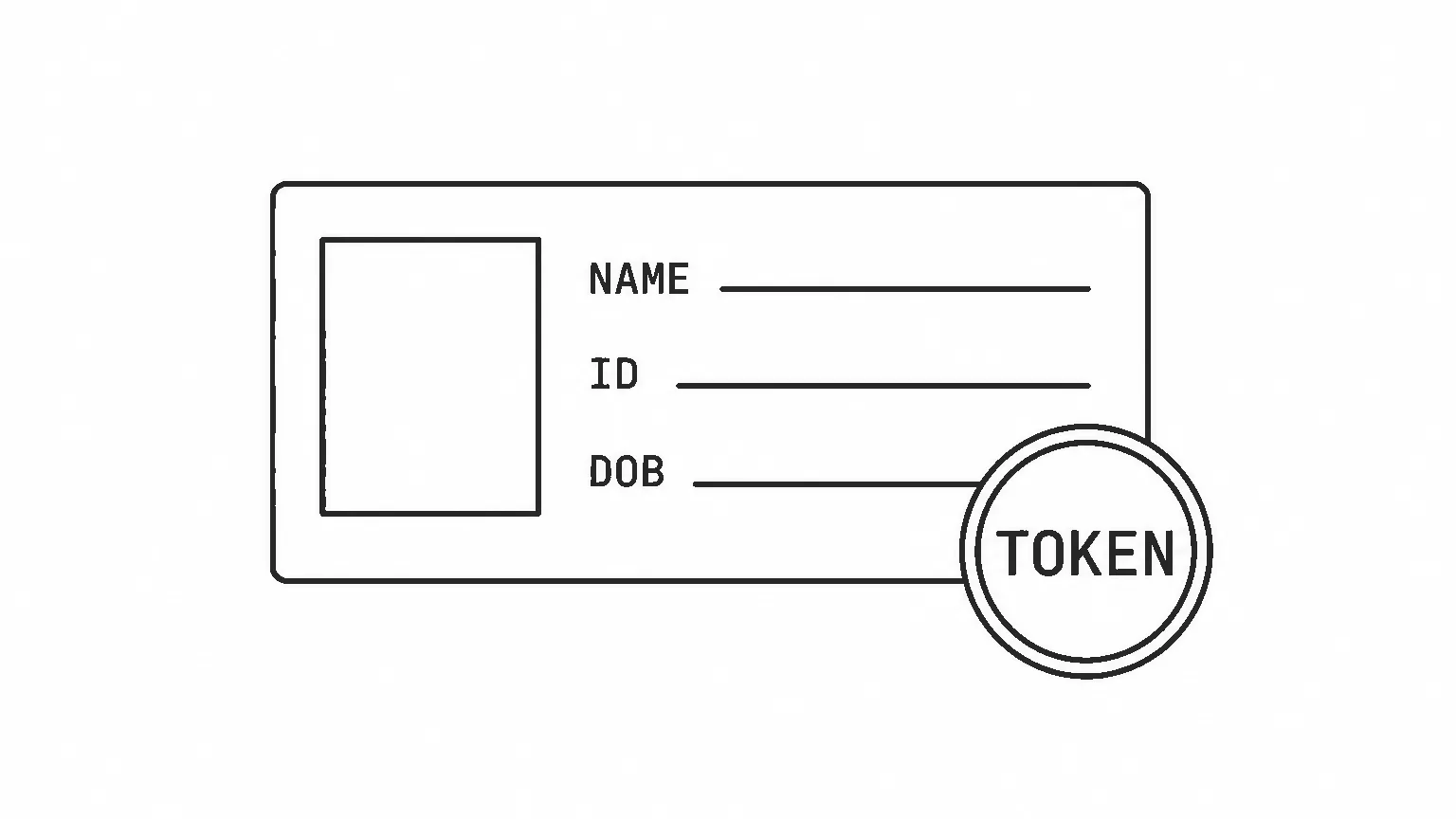
You have a live user database — phone numbers, profiles, maybe OTP logic already wired to an SMS provider. A mobile app or third-party integration now needs proper OAuth2 tokens: a signed access_token, an OIDC id_token, a refresh_token with rotation. You can’t migrate users to a new system and you don’t want to implement JWT signing, PKCE validation, token introspection, or OIDC discovery yourself.
This is a brownfield integration problem. The solution is to put a dedicated OAuth2/OIDC server in front of your existing stack and wire it to your identity data — not replace that data.
Architecture
Ory Hydra is an OAuth2.1 + OIDC authorization server that owns no user data. It delegates two decisions to HTTP endpoints you control:
- Login Provider — authenticates the user. Hydra tells you the challenge; you authenticate, then tell Hydra which subject (user ID) was verified.
- Consent Provider — decides what to put in the tokens. Hydra tells you which scopes were requested; you build the claims and grant them.
These two endpoints can live in one app. That app is the only piece you write; everything else is Hydra’s concern.
Hydra vs Kratos: If you need Hydra to issue OAuth2 tokens but already have your own identity store, you only need Hydra. Ory Kratos is a full identity management system — use it when you don’t have one yet. The two can work together, but they solve different problems.
flowchart TB
    subgraph clients [Clients]
        Browser[Browser / SPA]
    end

    subgraph hydra_zone [Ory Hydra]
        Hydra["Hydra\n:4444 public  :4445 admin"]
    end

    subgraph app_zone [Auth App]
        WebAuth["web-auth\n:4455 · Astro SSR + Node"]
    end

    subgraph infra_zone [Your Services]
        ProfileSrv["profile-srv\n:50051 · Go + gRPC"]
        DB[(User DB)]
    end

    Browser -->|"Authorization Code + PKCE"| Hydra
    Hydra -->|"login_challenge / consent_challenge"| WebAuth
    WebAuth -->|"verify user · fetch profile"| ProfileSrv
    ProfileSrv --- DB
    Hydra -->|"access_token · id_token · refresh_token"| Browser
| Service | Tech | Port | Responsibility |
|---|---|---|---|
| Hydra | Ory Hydra v2.3.0 | 4444 / 4445 | OAuth2.1 + OIDC token issuer; no user data |
| web-auth | Astro SSR + Node | 4455 | Login + Consent provider; drives the auth flow |
| profile-srv | Go + gRPC | 50051 | Simulated existing user service (user lookup, credential verification) |
profile-srvis a stand-in for your existing user service. In a real brownfield project this would be whatever already holds your users — a legacy monolith, a microservice, a read replica. The transport is irrelevant: the Login/Consent App can reach it via gRPC, REST, direct SQL, or anything else. OTP over SMS is the demo’s choice of authentication flow, not a Hydra requirement. You might use passwords, magic links, biometrics, or whatever your system already does. Hydra doesn’t care how the user is verified — only that your Login Provider eventually callsacceptLoginwith a subject ID. The complexity of the auth flow lives entirely in your app.
Login and Consent Providers
Hydra delegates two decisions to HTTP endpoints you control — authentication and token claims. These are the only integration points between your code and Hydra. Everything else — PKCE enforcement, JWT signing, token storage, OIDC discovery — is Hydra’s concern.
The flow is always initiated by an OAuth2 client: your browser app, mobile app, or a third-party integration. It sends the user’s browser to Hydra’s public authorization endpoint:
GET /oauth2/auth
  ?response_type=code
  &client_id=<registered-client>
  &redirect_uri=<callback-url>
  &scope=openid+profile
  &code_challenge=<sha256-of-verifier>
  &code_challenge_method=S256
Hydra validates the request — is this client registered? is the redirect URI on the allowlist? is PKCE present? — then redirects the browser to your Login Provider with a short-lived login_challenge token. That token lets your app query Hydra’s admin API for context about the in-flight request: which scopes were requested, which client initiated, and so on.
Login Provider. Your Login Provider is a web app — in the demo it is web-auth, an Astro SSR app. When Hydra redirects the browser to GET /login?login_challenge=<token>, that app handles the request.
Before showing any UI, fetch the login request from Hydra’s admin API:
// web-auth/src/lib/hydraClient.ts
export function getLoginRequest(challenge: string): Promise<LoginRequest> {
  return hydraFetch(`/admin/oauth2/auth/requests/login?login_challenge=${challenge}`);
}
The response contains which OAuth2 client initiated the request, which scopes were asked for, and a skip flag. If skip is true, Hydra has an active login session for this browser and you must not show the login form — call acceptLogin immediately with the subject Hydra provides in the same response.
If skip is false, show your login UI and authenticate the user however your existing system does — password, OTP, biometric, anything. When done, call Hydra’s admin API:
export function acceptLogin(challenge: string, subject: string): Promise<RedirectResponse> {
  return hydraFetch(`/admin/oauth2/auth/requests/login/accept?login_challenge=${challenge}`, {
    method: 'PUT',
    headers: { 'Content-Type': 'application/json' },
    body: JSON.stringify({ subject, remember: false, remember_for: 0, context: {} }),
  });
}
subject is the user’s stable ID from your database. Hydra returns a redirect_to URL that points back to Hydra’s own public endpoint — something like GET /oauth2/auth?login_verifier=<token>. Your Login Provider redirects the browser there.
The browser hits Hydra again. Hydra validates the login verifier, records that this user is authenticated, and then redirects the browser to your Consent Provider URL with a brand new consent_challenge. That URL comes from the urls.consent setting in hydra.yml — Hydra knows where to send the browser because you configured it at startup, not at runtime.
In the demo, both Login Provider and Consent Provider are the same web-auth app — just different routes: /login handles authentication, /consent handles claim decisions. Hydra treats them as independent URLs; they happen to be served by the same process.
How the skip session works. skip becomes true only if a previous acceptLogin was called with remember: true and a non-zero remember_for (session lifetime in seconds). When those are set, Hydra stores a session cookie in the browser. On the next OAuth2 flow from the same browser, Hydra finds that cookie and sets skip: true — your Login Provider can then skip credentials entirely and confirm the already-known subject directly.
The demo uses remember: false, remember_for: 0, so no session cookie is ever set and skip is always false. Every flow requires credentials. In production you would typically set remember: true with a reasonable remember_for (e.g. 86400 for 24 hours) so returning users aren’t asked to log in on every OAuth2 authorization.
Consent Provider. Your app receives GET /consent?consent_challenge=<token>. This is where you decide what goes into the issued tokens: which scopes to actually grant, and what user data to embed as claims. When ready, call:
export function acceptConsent(
  challenge: string,
  grantScopes: string[],
  session: { id_token: Record<string, unknown>; access_token: Record<string, unknown> },
): Promise<RedirectResponse> {
  return hydraFetch(`/admin/oauth2/auth/requests/consent/accept?consent_challenge=${challenge}`, {
    method: 'PUT',
    headers: { 'Content-Type': 'application/json' },
    body: JSON.stringify({
      grant_scope: grantScopes,
      grant_access_token_audience: [],
      session,
      remember: false,
      remember_for: 0,
    }),
  });
}
The session.id_token object is what Hydra embeds and cryptographically signs into the OIDC id_token. How you populate it — and which claims belong where — is covered next.
Scope-Aware OIDC Claims
Inside the Consent Provider, you have two jobs before calling acceptConsent.
Step 1 — find out what was requested. Call Hydra’s admin API with the challenge to retrieve the in-flight consent request. This tells you which scopes the client asked for and which subject (user ID) was authenticated during the login step:
const consentRequest = await getConsentRequest(challenge);
// consentRequest.requested_scope → ['openid', 'profile', 'email']
// consentRequest.subject         → the profile_id you passed to acceptLogin
Step 2 — build claims and accept. Fetch the user’s profile from your user service, map scopes to profile fields, and pass the result back to Hydra:
const profile  = await profileSrv.getById(consentRequest.subject);
const session  = buildClaims(profile, consentRequest.requested_scope);
const { redirect_to } = await acceptConsent(
  challenge,
  consentRequest.requested_scope,
  session,
);
The session object has two parts:
session.id_token— claims Hydra will embed and cryptographically sign into the OIDCid_token. This is what the client (or a resource server) decodes to learn about the authenticated user.session.access_token— extra claims to embed in the opaque access token, visible only via token introspection.
grant_scope in the acceptConsent body tells Hydra which scopes to actually grant — you can grant fewer than requested if your business logic requires it. Hydra uses this for token introspection responses and audience validation.
sub is not something you set here. Hydra sets it automatically in both tokens from the subject string you provided when you called acceptLogin. It is the stable user identifier that ties both tokens back to the authenticated user.
buildClaims maps the granted scopes to fields from your user profile:
// web-auth/src/lib/hydraClient.ts
export function buildClaims(profile: UserProfile, grantedScopes: string[]) {
  const id_token: Record<string, unknown> = {};

  if (grantedScopes.includes('profile')) {
    const name = [profile.fname, profile.lname].filter(Boolean).join(' ');
    if (name)          id_token.name        = name;
    if (profile.fname) id_token.given_name  = profile.fname;
    if (profile.lname) id_token.family_name = profile.lname;
  }
  if (grantedScopes.includes('email') && profile.email)
    id_token.email = profile.email;
  if (grantedScopes.includes('phone') && profile.phone)
    id_token.phone_number = profile.phone;

  return { id_token, access_token: {} };
}| Scopes requested | Claims in id_token |
|---|---|
openid | sub only — set by Hydra from acceptLogin subject |
openid profile | sub, name, given_name, family_name |
openid profile email | above + email |
openid profile email phone | above + phone_number |
This follows the OIDC standard scope definitions. The data comes entirely from your user store — Hydra never reads it, only signs the token you hand back.
The Demo
The full working demo is at github.com/martavoi/hydra-brownfield-auth. It implements passwordless phone + OTP authentication with both a browser flow and a native headless flow.
git clone https://github.com/martavoi/hydra-brownfield-auth
cd hydra-brownfield-auth
task up    # docker compose up -d
task seed  # register test OAuth2 client in Hydra
tasknot found? The repo uses Task as a task runner. Install it withbrew install go-task(macOS) orgo install github.com/go-task/task/v3/cmd/task@latest, or just look insideTaskfile.yml— everytaskcommand is a thin wrapper around a plaindocker composeorcurlcall you can run directly.
This starts Hydra, the web-auth login/consent app, profile-srv, and the SMS webhook simulator.
Flow 1: Browser-Based Authorization Code + PKCE
The standard OAuth2.1 flow for any client that can open a browser — web apps, SPAs, and native mobile or desktop apps alike. PKCE is required — Hydra enforces it by default.
Native apps follow exactly the same flow. On iOS this is typically ASWebAuthenticationSession, on Android a Chrome Custom Tab — both open a real system browser (not an embedded WebView), handle the redirect back to the app via a custom URI scheme or app link, and exchange the code for tokens. Using the system browser matters: it shares the OS-level cookie jar, so if the user is already logged in they won’t have to re-authenticate, and it keeps credentials out of the app process entirely. RFC 8252 (OAuth 2.0 for Native Apps) formalises this as the recommended approach for native clients.
Steps:
- Client generates a PKCE pair:
code_verifier(random, 96 chars) andcode_challenge(SHA-256 hash of the verifier, base64url-encoded). Opens Hydra’s authorization endpoint. - Hydra validates the request and redirects the browser to the Login Provider with
login_challenge. - The Login Provider renders a server-side HTML form. User enters their phone number and submits it — the browser POSTs form data to
/api/request-otp. The server calls profile-srv via gRPC, which generates a 6-digit OTP and sends it to the SMS webhook, then redirects the browser back to the login page at the OTP entry stage. - User enters the OTP and submits — the browser POSTs form data to
/api/verify-otp. The server callsVerifyOtpon profile-srv (OTP is consumed atomically), gets backprofile_id, callsacceptLogin(challenge, profile_id)on Hydra’s admin API, and redirects the browser to the URL Hydra returns. - Hydra redirects the browser to the Consent Provider with
consent_challenge. - The Consent Provider is a server-rendered page with no user interaction — on load it immediately fetches the user profile, builds scope-aware claims, calls
acceptConsent, and redirects the browser to the authorization callback with the code. - Client exchanges
code + code_verifierat the token endpoint. Hydra validates the PKCE and returnsaccess_token,id_token, andrefresh_token.
sequenceDiagram
    participant Client
    participant Hydra
    participant App as Login / Consent App
    participant Srv as profile-srv
    participant SMS as sms-webhook-sim

    Client->>Hydra: GET /oauth2/auth?code_challenge=X&scope=openid+profile
    Hydra-->>Client: 302 → /login?login_challenge=C1

    Client->>App: GET /login?login_challenge=C1
    App-->>Client: Phone number form

    Client->>App: POST /api/request-otp (form: phone, login_challenge)
    App->>Srv: gRPC RequestOtp(phone)
    Srv->>SMS: POST /sms {phone, otp}
    App-->>Client: 302 → /login?stage=otp

    Client->>App: POST /api/verify-otp (form: phone, otp, login_challenge)
    App->>Srv: gRPC VerifyOtp(phone, otp)
    Srv-->>App: {valid: true, profile_id}
    App->>Hydra: PUT /admin/.../login/accept {subject: profile_id}
    Hydra-->>App: {redirect_to: "...?login_verifier=V1"}
    App-->>Client: 302 → redirect_to

    Client->>Hydra: GET /oauth2/auth?login_verifier=V1
    Hydra-->>Client: 302 → /consent?consent_challenge=C2

    Client->>App: GET /consent?consent_challenge=C2
    Note over App: auto-accept — no user interaction
    App->>Srv: gRPC GetById(profile_id)
    Srv-->>App: Profile
    App->>Hydra: PUT /admin/.../consent/accept {scopes, id_token: {name, ...}}
    Hydra-->>App: {redirect_to: "...?consent_verifier=V2"}
    App-->>Client: 302 → redirect_to

    Client->>Hydra: GET /oauth2/auth?consent_verifier=V2
    Hydra-->>Client: 302 → /callback?code=AUTH_CODE

    Client->>Hydra: POST /oauth2/token {code, code_verifier, grant_type=authorization_code}
    Hydra-->>Client: {access_token, id_token, refresh_token}
Running it:
# Terminal 1 — watch OTP delivery
task sms-logs

# Terminal 2 — interactive flow
task test:flow
# Prints a PKCE authorization URL. Open it in a browser.
# Enter any phone number → OTP appears in Terminal 1.
# Enter the OTP → browser redirects to /callback with the code.
# Paste the code back into the terminal → tokens printed as JSON.
Or manually with the lower-level tasks:
task test:pkce                                    # generate verifier + challenge
task test:url CODE_CHALLENGE=<challenge>          # print the authorization URL
task test:token CODE=<code> VERIFIER=<verifier>   # exchange code for tokens
task test:introspect TOKEN=<access_token>         # inspect the token
Flow 2: Headless API — No Browser Required
Native apps can open a browser — and as covered in Flow 1, that is the recommended approach. But sometimes you specifically don’t want to: a tighter native UX with no visible browser transition, a legacy system that already has its own in-app credential screens, or a platform constraint where launching a browser is undesirable. In those cases the solution is a Backend for Frontend (BFF): the same web-auth server drives the entire OAuth2 loop server-to-server and returns tokens directly to the app.
Two API calls. That’s it from the client’s perspective.
Why a BFF and not a direct token grant?
OAuth2.1 removed the Resource Owner Password Credentials grant precisely because it bypasses the authorization server’s flow and sends credentials to the client. The BFF preserves the full authorization code + PKCE flow — the security properties are intact — while hiding the browser-redirect mechanics from the native app.
Step 1 — Request OTP:
App calls POST /api/headless/request-otp. The BFF:
- Generates a PKCE pair server-side
- Opens Hydra’s
/oauth2/authwithout following the redirect — captureslogin_challengeand Hydra’s session cookies from theLocationandSet-Cookieheaders - Calls
RequestOtpon profile-srv via gRPC - Stores
{pkce_verifier, login_challenge, phone, cookies}in a server-side session (5-minute TTL) - Returns
{session_id}to the app
The PKCE verifier never leaves the server.
Step 2 — Verify OTP and receive tokens:
App calls POST /api/headless/verify-otp {session_id, otp}. The BFF drives the full loop:
VerifyOtpvia gRPC →profile_idacceptLogin(challenge, profile_id)→ followlogin_verifierredirect with saved cookies → captureconsent_challenge- Fetch profile, build claims,
acceptConsent→ followconsent_verifierredirect with merged cookies → capturecode - Exchange
code + pkce_verifierat the token endpoint → return tokens to app
sequenceDiagram
    participant App as Native App
    participant BFF as web-auth BFF
    participant Hydra
    participant Srv as profile-srv

    App->>BFF: POST /api/headless/request-otp {phone, client_id, scope}
    BFF->>BFF: Generate PKCE verifier + challenge
    BFF->>Hydra: GET /oauth2/auth?code_challenge=... (capture redirect, no follow)
    Hydra-->>BFF: 302 login_challenge=C1 + Set-Cookie
    BFF->>Srv: gRPC RequestOtp(phone)
    BFF->>BFF: Store session {verifier, login_challenge, cookies}
    BFF-->>App: {session_id}

    App->>BFF: POST /api/headless/verify-otp {session_id, otp}
    BFF->>Srv: gRPC VerifyOtp(phone, otp)
    Srv-->>BFF: {valid: true, profile_id}

    BFF->>Hydra: PUT /admin/.../login/accept {subject}
    Hydra-->>BFF: {redirect_to: "...?login_verifier=V1"}
    BFF->>Hydra: GET /oauth2/auth?login_verifier=V1 (with cookies)
    Hydra-->>BFF: 302 consent_challenge=C2 + Set-Cookie

    BFF->>Srv: gRPC GetById(profile_id)
    BFF->>Hydra: PUT /admin/.../consent/accept {scopes, claims}
    Hydra-->>BFF: {redirect_to: "...?consent_verifier=V2"}
    BFF->>Hydra: GET /oauth2/auth?consent_verifier=V2 (with merged cookies)
    Hydra-->>BFF: 302 /callback?code=AUTH_CODE

    BFF->>Hydra: POST /oauth2/token {code, code_verifier}
    Hydra-->>BFF: {access_token, id_token, refresh_token}
    BFF-->>App: {access_token, id_token, refresh_token}
Running it:
# Terminal 1
task sms-logs

# Terminal 2 — Step 1
task test:headless
# Prints session_id. OTP appears in Terminal 1.

# Terminal 2 — Step 2
task test:headless:verify SESSION=<session_id> OTP=<code>
# Prints full token response as JSON
Opaque vs JWT Access Tokens
Hydra issues opaque access tokens by default — a structured random string (ory_at_...) with no decodable payload. A resource server receiving one has no way to validate it locally; it must ask Hydra. That is what token introspection (RFC 7662) is for:
POST /admin/oauth2/introspect
token=<access_token>
Hydra looks up the token and responds with its current state — including active: false if it has expired or been revoked:
{
  "active": true,
  "sub": "user-123",
  "scope": "openid profile email",
  "client_id": "my-app",
  "exp": 1234567890
}
Hydra can also be configured to issue JWT access tokens, which a resource server can verify locally against Hydra’s JWKS endpoint (/.well-known/jwks.json) without a network round-trip. The trade-offs:
| Opaque (default) | JWT | |
|---|---|---|
| Validation | Introspection call to Hydra | Local signature check via JWKS |
| Latency | 1–5 ms self-hosted (same network); higher if Hydra is remote | Sub-millisecond — no network call |
| Revocation | Immediate | Not until exp — JWTs cannot be revoked early |
| OIDC feature support | Full | Some OIDC features do not work |
To switch globally, add to hydra.yml:
strategies:
  access_token: jwt  # default: opaque
Or per OAuth2 client at registration time using the access_token_strategy field — useful if only one specific client needs JWT while the rest stay opaque.
Ory does not recommend the JWT strategy for most deployments: the inability to revoke tokens immediately is a meaningful security trade-off, and it breaks certain OIDC flows. Refresh tokens are always opaque regardless of this setting.
Note that the id_token is always a JWT — that is separate from the access token strategy. Verify it locally using the same JWKS endpoint (/.well-known/jwks.json), key set hydra.openid.id-token.
The demo includes a working introspection example:
task test:introspect TOKEN=<access_token>In production, introspection becomes a middleware layer in front of your protected routes — one call to Hydra’s admin API per request.
Conclusion
Hydra handles PKCE enforcement, JWT signing, refresh token rotation, OIDC discovery, token introspection, and access token strategy. Your Login and Consent providers handle everything else: user lookup, credential verification, and claim mapping. The split is clean — you never touch cryptography; Hydra never touches your user data.
The demo at github.com/martavoi/hydra-brownfield-auth uses SQLite and a stdout SMS simulator for simplicity. For production, swap in PostgreSQL for both Hydra and profile-srv, point the SMS webhook at Twilio or AWS SNS, and add token introspection middleware to your resource servers.
Questions or feedback? Reach out:
- Email: pm@martavoi.by
- GitHub: github.com/martavoi
- LinkedIn: dzmitrymartavoi
Further Reading:
- Ory Hydra Documentation
- OAuth 2.1 Draft
- PKCE — RFC 7636
- OIDC Core — Scope Claims
- Ory Kratos: Enterprise Identity Management — use when you need a full identity store, not just token issuance